Redeem Activation Code
A minimum of Unraid OS v6.10 or later, or access to your Unraid account dashboard.
How to Redeem Your Activation Code
First, follow our Getting Started guide to set up an Unraid server.
When your server is up and running, start from that server so your license is applied to the right server.
For Unraid 6.10 and later
You can start in either place:
-
Log in to your Unraid server's WebGUI (http://tower or http://tower.local on Mac by default).
-
Use one of these entry points:
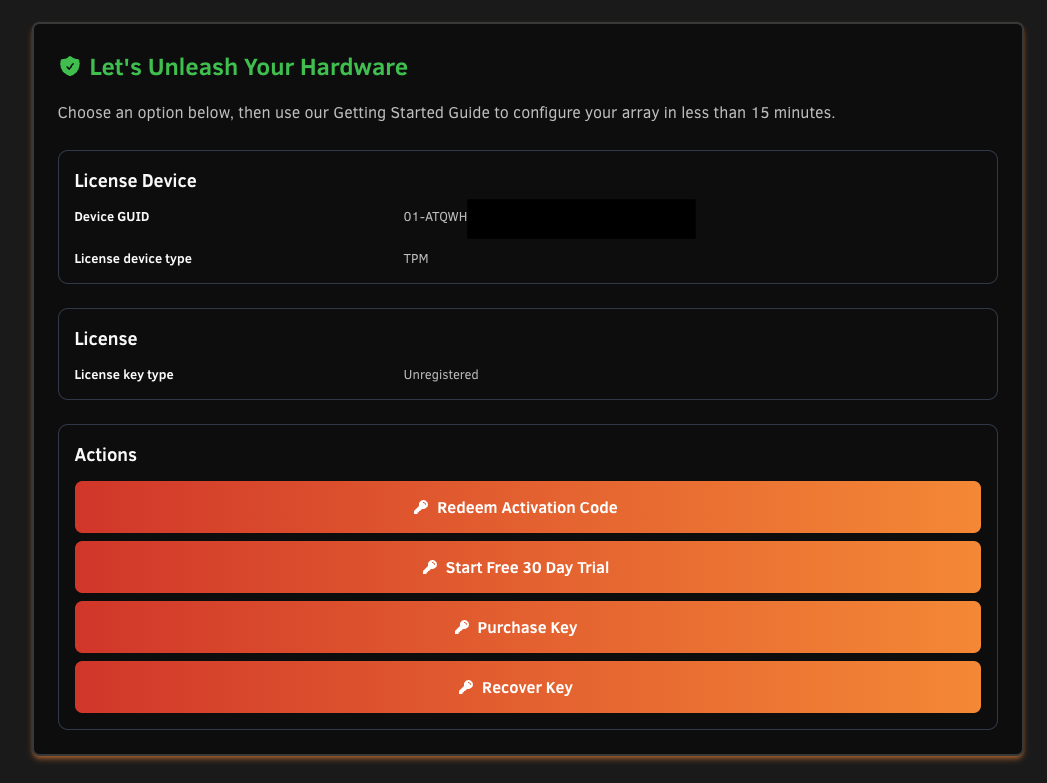
- Navigate to Tools > Registration, then select Redeem Activation Code in Actions.
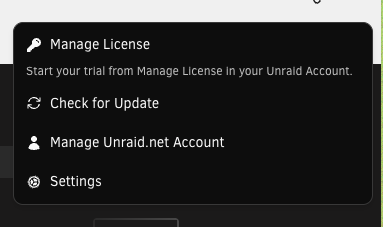
- Open the top-right Unraid.net or Connect menu and select Manage License.
-
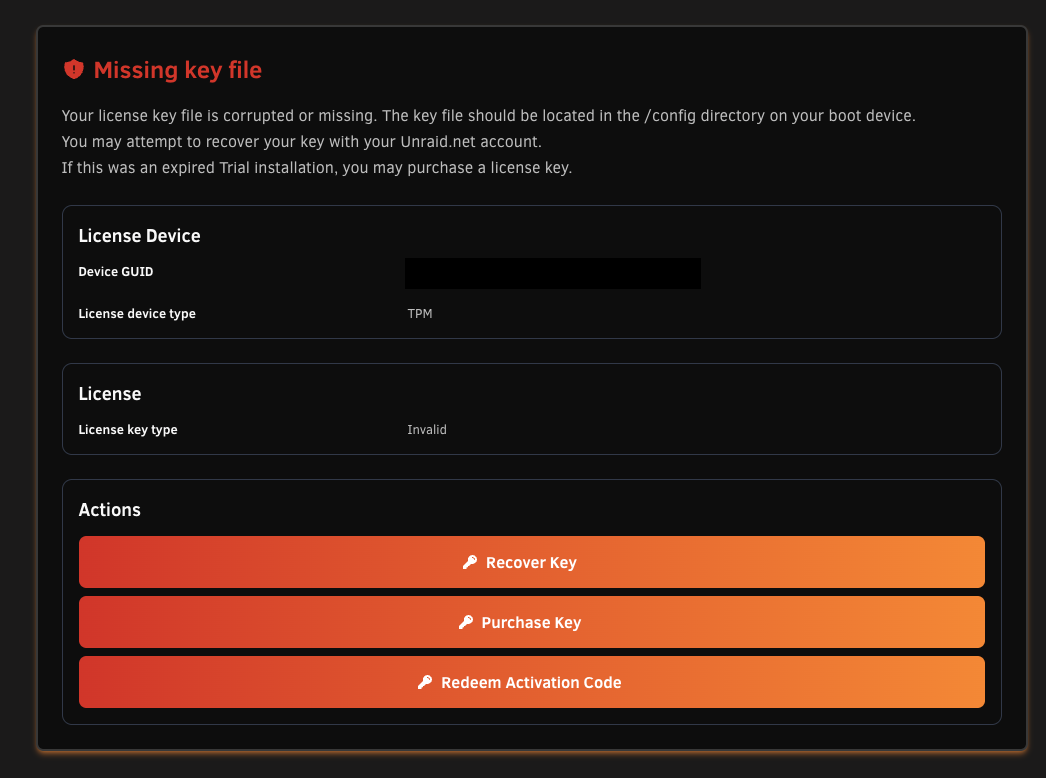
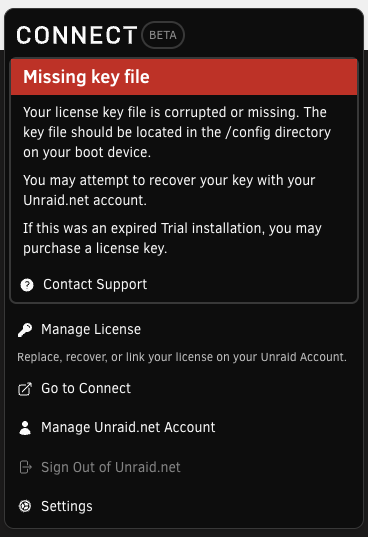
If you see a Missing key file message, use the same entry points:
- From Tools > Registration, select Redeem Activation Code in Actions.
- From the top-right Connect panel, select Manage License.
-
Sign in to your Unraid.net account or create one if prompted.
-
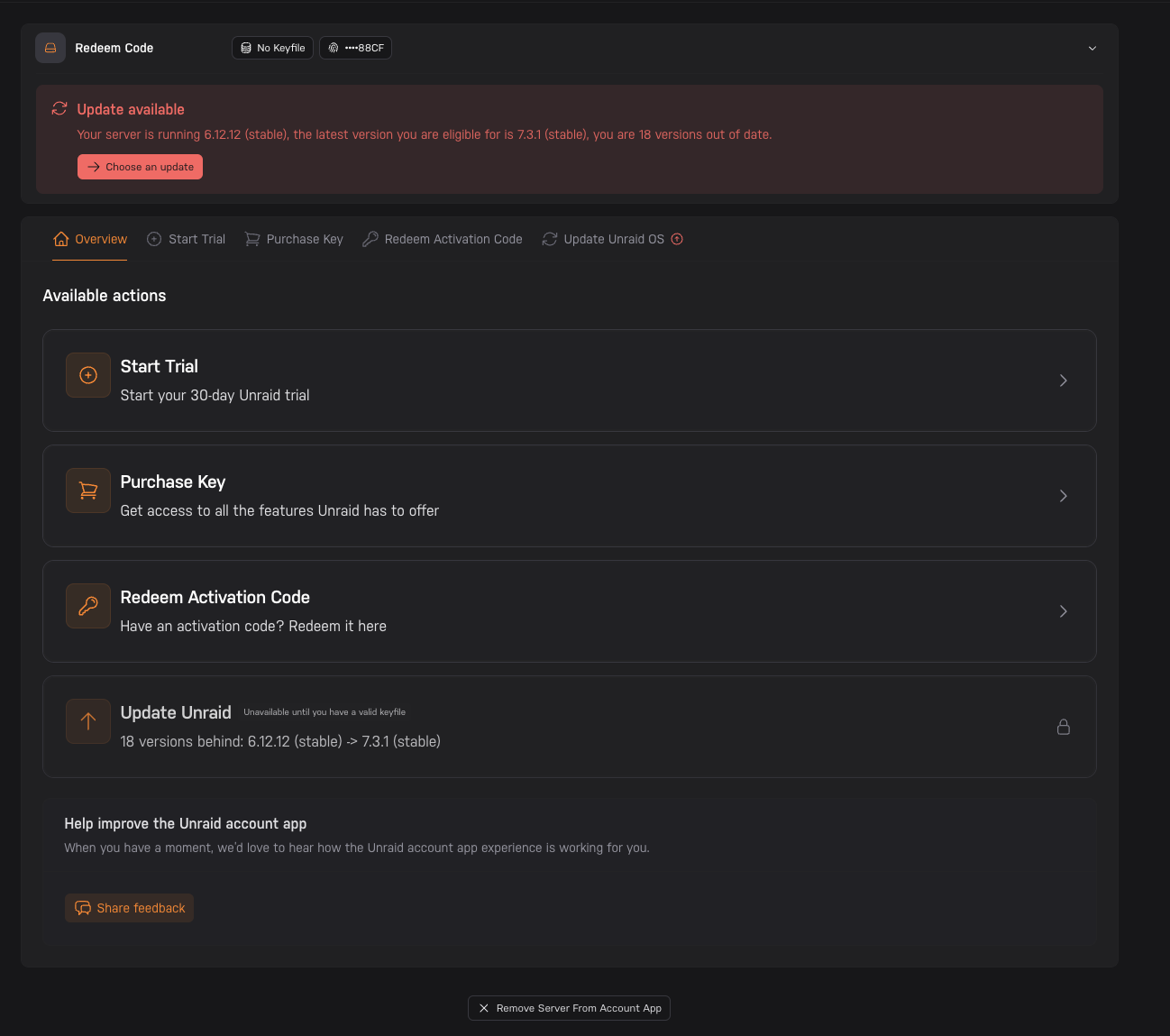
In the account app, choose Redeem Activation Code if it is not already selected.
-
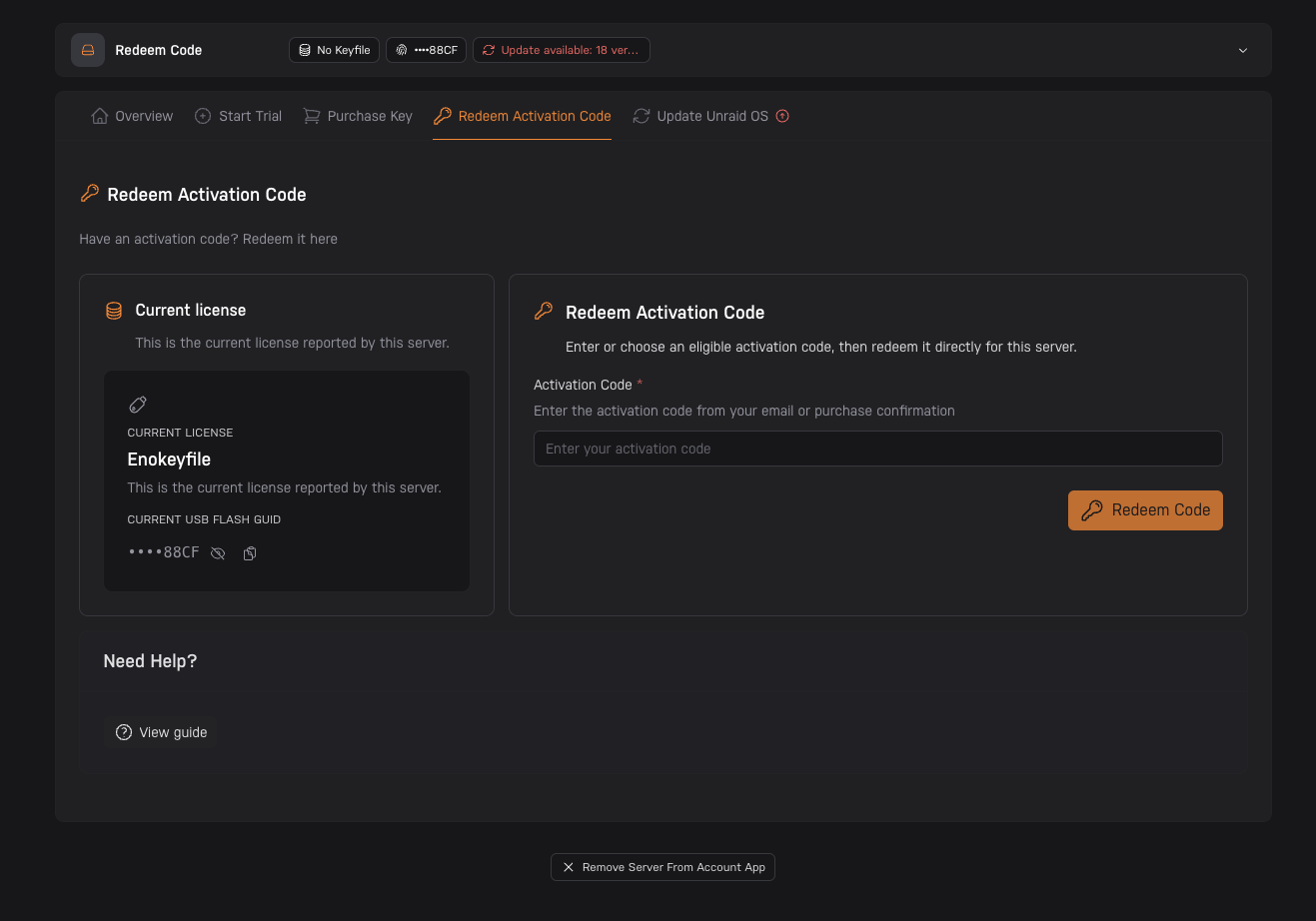
Enter your activation code, or choose one from your account if one is shown, then click Redeem Code.
-
Click Click To Finalize Your License Install (Required) to finish installing the license on your server.
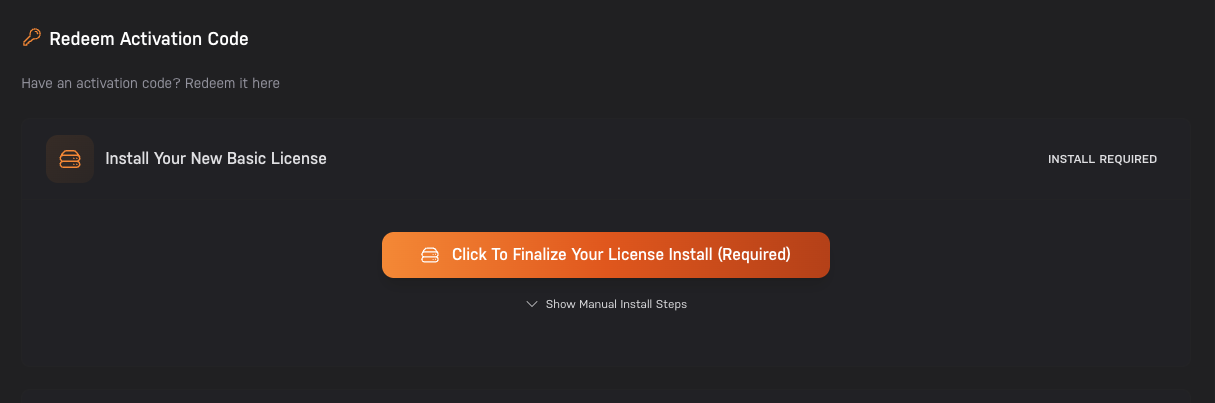
Once the install is finalized, the license is applied to your server.
For Upgrade Activation Codes
Use the same Redeem Activation Code page for upgrade activation codes. The account app will show or accept codes that can be used with your current license.
For Unraid 6.9 and older
-
Navigate to the Tools > Registration page in the WebGUI.
-
Select Redeem Activation Code or Purchase Key.
-
Enter the activation code listed on your order invoice and complete the activation process.
Important Notes
- Activation codes can only be used once.
- Make sure you're logged in with the same account that purchased the license.
- The activation code must work with the server you're trying to activate.
- If the account app does not show your server or the redemption form, open it again from Tools > Registration or Manage License in the WebGUI.
Need Help?
If you're having trouble redeeming your activation code:
- Make sure you're entering the code exactly as it appears in your email
- Check that the activation code hasn't been used already
- Ensure you're logged in with the same account that purchased the license
- Open the account app from your server again if it does not show the correct server
- See our Licensing FAQ for more information